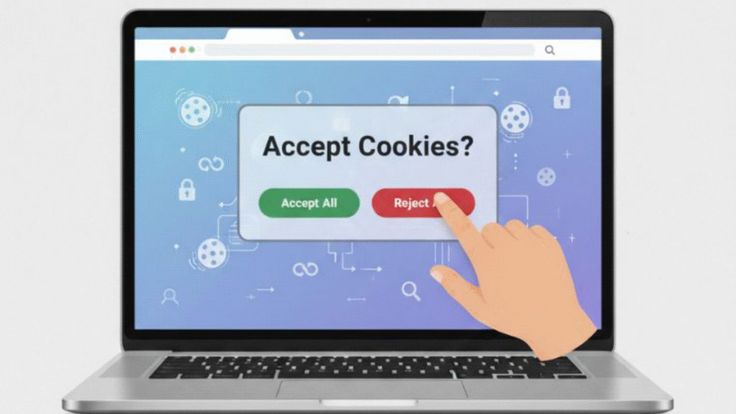


When you visit a website, you may notice that it remembers certain things about you.
Discover Top Tech Insights Today
Stay updated with the latest news, guides, and tech solutions right at your fingertips.
Explore Now →Level Up Your Digital Knowledge
Explore simple, step-by-step tech guides, expert tips, and fresh insights on Voozon.
Learn More →Master the Latest Tech Trends
Get clear, actionable guides and insights on software, security, and digital tools on Voozon.
Get Started Now →How does a website remember these things?
One common technology behind this is a cookie.
You may have heard the word “cookie” before, especially when visiting a website and seeing a message asking you to accept cookies. But what exactly are cookies, and why do websites use them?
In simple terms, a cookie is a small piece of information that a website stores in your web browser or on your device to remember certain information about your visit or preferences.
Cookies are a normal part of modern web browsing. They can make websites more convenient to use, but they can also raise questions about privacy and online tracking.
Understanding how cookies work can help you make better decisions when browsing the internet.
What Is a Cookie?
A web cookie, sometimes called an HTTP cookie or browser cookie, is a small piece of data that a website asks your browser to store.
When you visit the website again, your browser can send the relevant cookie information back to that website.
This allows the website to recognize certain information associated with your previous visit.
For example, imagine that you visit an online shopping website and add a pair of headphones to your shopping cart.
If you leave the website and return later, the website may still show the headphones in your cart.
A cookie may be one of the technologies helping make this possible.
Cookies do not normally contain an entire webpage or application. Instead, they usually contain relatively small pieces of information that help websites remember a particular state, preference, or identifier.
Why Do Websites Use Cookies?
Websites use cookies for several different reasons.
Some cookies are essential for basic website functionality.
Others are used to remember preferences, analyze website traffic, personalize experiences, or support advertising.
Common uses include:
- Remembering login sessions
- Saving language preferences
- Maintaining shopping carts
- Remembering website settings
- Measuring website usage
- Personalizing content
- Supporting advertising
- Improving website performance
Without cookies or similar technologies, many websites would have difficulty remembering information between different requests or visits.
How Do Cookies Work?
The process is relatively simple.
Suppose you visit a website for the first time.
The website may send a cookie to your browser.
Your browser stores the cookie according to its settings.
When you make another request to the same website, your browser may send the relevant cookie back.
The website can then use the information associated with that cookie.
This happens quickly and usually without the user needing to do anything.
The important thing to understand is that cookies help websites maintain information across different interactions.
What Is a Session Cookie?
A session cookie is generally used temporarily while you are using a website.
For example, a website may use a session cookie to keep track of your activity while you move from one page to another.
Session cookies typically do not remain permanently after the browsing session ends.
They can be especially useful for websites where you need to remain logged in while navigating through different pages.
For example, when shopping online, the website needs to know that the products you selected belong to your current shopping session.
What Is a Persistent Cookie?
A persistent cookie remains on your device for a specified period of time, even after you close your browser.
It can be used to remember information between visits.
For example, a website might remember your preferred language or certain settings when you return several days later.
Persistent cookies have an expiration date or another mechanism that determines how long they remain available.
Once they expire or are deleted, they are no longer available to the website in the same way.
What Are First-Party Cookies?
A first-party cookie is generally created by the website you are visiting.
For example, if you visit an online store, that store may place a cookie in your browser to remember your shopping cart or preferences.
First-party cookies are commonly used for essential website functions and user experience features.
They can also be used for analytics and other purposes, depending on how the website is designed.
What Are Third-Party Cookies?
A third-party cookie is generally associated with a domain different from the website you are directly visiting.
For example, a webpage might contain content or services provided by another company.
Historically, third-party cookies have been widely used for advertising and cross-site tracking.
They can allow information to be associated with activity across different websites that use the same third-party service.
Because of privacy concerns, browser companies have introduced restrictions on third-party cookies, and the technology landscape continues to change.
Are Cookies Dangerous?
In most cases, ordinary browser cookies are not viruses or computer programs.
A cookie itself is generally just stored information.
It does not normally execute software on your device.
However, cookies can have privacy implications.
For example, certain cookies can be used to recognize a browser or support tracking across websites.
This is why it is important to understand what cookies are being used for rather than assuming that every cookie is either completely harmless or completely dangerous.
Can Cookies Steal Personal Information?
Cookies do not automatically give websites access to everything stored on your device.
A website cannot simply use a normal cookie to read your computer’s private files.
However, cookies can contain identifiers or other information associated with your browsing activity.
If a website or service uses cookies in combination with other technologies, it may be possible to build a detailed picture of how users interact with websites.
This is one reason privacy regulations and browser settings often address cookies and tracking technologies.
What Is a Cookie Consent Banner?
You have probably seen messages such as:
“This website uses cookies.”
These messages are commonly called cookie banners or cookie consent notices.
They are designed to inform visitors that a website uses cookies or related technologies.
Depending on the website and applicable privacy laws, users may be given options such as:
- Accept all cookies
- Reject optional cookies
- Manage preferences
- Allow only necessary cookies
The exact options vary from website to website and jurisdiction to jurisdiction.
Not every cookie necessarily requires the same type of consent.
Some cookies may be considered necessary for the website to provide a service, while others may be optional.
What Are Essential Cookies?
Essential cookies, sometimes called strictly necessary cookies, are cookies that a website may need to provide certain requested functions.
For example, a website may need cookies to:
- Keep you logged in
- Maintain a shopping cart
- Protect forms
- Remember certain security settings
- Maintain a session
Without these cookies, some website features may not work properly.
The exact classification depends on how the cookie is used and the applicable legal requirements.
What Are Analytics Cookies?
Analytics cookies can help website owners understand how visitors use their websites.
For example, analytics systems may provide information about:
- Which pages receive visits
- How users navigate a website
- How long users spend on pages
- Which devices are being used
- Whether certain pages are experiencing problems
Website owners can use this information to improve their websites.
Analytics data is often aggregated, but the privacy implications depend on the specific analytics technology and configuration.
What Are Advertising Cookies?
Advertising cookies can be used to support online advertising.
They may help advertisers or advertising platforms understand users’ interests or interactions with websites.
For example, if a person visits several websites that use the same advertising technology, certain tracking systems may be able to associate activity across those websites.
This can be used to personalize advertising.
Because this type of tracking can involve information about browsing behavior, advertising cookies are an important part of ongoing discussions about online privacy.
Can You Delete Cookies?
Yes.
Most modern web browsers allow you to delete cookies.
You can usually remove:
- All cookies
- Cookies from specific websites
- Cookies from a particular time period
The exact steps depend on the browser you are using.
Deleting cookies can sometimes solve website problems, but it can also remove saved preferences or log you out of websites.
What Happens When You Delete Cookies?
When you delete cookies, websites may no longer have access to certain information that was stored in those cookies.
For example, you might be logged out of websites.
A shopping cart may be reset.
Website preferences may return to their default settings.
This does not necessarily delete information that the website has stored on its own servers.
Deleting a browser cookie mainly removes the cookie from your browser or device.
If a company has separately stored information about your account on its servers, deleting cookies does not automatically delete that information.
Can You Block Cookies?
Yes.
Most browsers provide settings that allow users to block or restrict certain cookies.
Depending on the browser, you may be able to:
- Block third-party cookies
- Block cookies from specific websites
- Delete cookies automatically
- Allow cookies only from certain websites
- Clear cookies when the browser closes
Blocking cookies can improve privacy in some situations, but it may also cause certain websites to stop working properly.
What Is Private Browsing?
Private browsing is a browser mode designed to limit the amount of browsing information stored locally.
Depending on the browser, private browsing can prevent certain cookies and browsing history from being retained after the private session ends.
However, private browsing does not make you completely anonymous.
Your internet service provider, employer, school, websites, network administrators, and other parties may still be able to observe certain aspects of your activity.
Private browsing is therefore better understood as a local privacy feature rather than a complete privacy solution.
Cookies and Online Shopping
Cookies are particularly useful for online shopping.
Imagine that you visit an online store and add several products to your cart.
You then browse other pages before returning to your cart.
The website needs a way to associate those products with your browsing session.
Cookies can help maintain that information.
They can also help websites remember preferences such as your selected region, currency, or language.
Without cookies or similar technologies, online shopping could become less convenient.
Cookies and Login Systems
Cookies are also commonly used with login systems.
When you sign into a website, the website needs to remember that you have successfully authenticated.
A session cookie can help the website recognize your browser during the session.
This allows you to move between pages without entering your username and password every time.
Modern authentication systems use multiple security mechanisms, and cookies are only one component.
Secure cookie configurations can help protect login sessions from certain attacks.
Are Cookies the Same as Cache?
No.
Cookies and cache serve different purposes.
Cookies are primarily used to store information that helps websites remember states, preferences, sessions, or identifiers.
Cache stores copies of certain website resources, such as images, scripts, or other files, so they can potentially load faster during future visits.
Both are stored by browsers, but they serve different functions.
Are Cookies the Same as Browser History?
No.
Browser history records websites and pages you have visited.
Cookies are pieces of information associated with websites that your browser stores and may send back when appropriate.
Deleting browsing history does not necessarily delete all cookies, and deleting cookies does not necessarily remove browsing history.
They are separate types of browser data.
Do Mobile Apps Use Cookies?
Cookies are primarily associated with web browsing, but mobile applications can use related technologies for storing identifiers and maintaining sessions.
Some apps include web content or use web-based systems internally.
Mobile operating systems also provide other mechanisms for applications to store information and recognize users.
Therefore, while the technical details may differ, the general idea of remembering information between interactions is common across both websites and apps.
How Can You Manage Cookies Safely?
You do not necessarily need to block every cookie.
Instead, it can be useful to manage cookies based on your privacy preferences.
A few practical habits can help:
Review Cookie Settings
When a website provides privacy options, take a moment to review them.
Remove Unnecessary Cookies
You can periodically clear cookies you no longer need.
Restrict Third-Party Tracking
If your browser provides an option to restrict third-party cookies, consider enabling it if it fits your privacy preferences.
Keep Your Browser Updated
Browser updates often include important privacy and security improvements.
Be Careful With Suspicious Websites
Cookies are not the only privacy concern online. Avoid entering sensitive information into websites you do not trust.
Why Are Cookies Important?
Cookies may seem like a small technical detail, but they play an important role in how many websites function.
They help websites remember users and maintain information between requests.
Without them, features such as shopping carts, login sessions, language preferences, and personalized settings could be more difficult to implement.
At the same time, cookies can raise legitimate privacy questions, especially when they are used for tracking and advertising.
This is why modern browsers and websites increasingly give users more control over cookies and related technologies.
The Future of Cookies
The way cookies are used on the internet is changing.
Browsers are placing greater restrictions on third-party cookies, while websites and advertising companies are exploring other approaches to measurement, personalization, authentication, and advertising.
Privacy expectations are also changing.
As a result, website owners need to think carefully about how they collect and use information.
Users, meanwhile, are becoming more interested in understanding what happens to their information when they browse the web.
The future of online tracking is likely to involve a combination of browser controls, privacy technologies, first-party data, and other methods rather than relying entirely on traditional third-party cookies.
Final Thoughts
So, what is a cookie?
A cookie is a small piece of information that a website stores in your browser or on your device to help remember certain information about your visit.
Cookies can be used for many purposes, including keeping users logged in, remembering shopping carts, saving preferences, analyzing website traffic, and supporting online advertising.
There are different types of cookies, including session cookies, persistent cookies, first-party cookies, and third-party cookies.
Cookies are not normally viruses, and they cannot simply access every file on your device. However, some cookies and related technologies can be used for tracking, which makes privacy settings important.
Modern browsers allow users to manage, delete, block, or restrict cookies depending on their preferences.
The simplest way to understand a cookie is this: a cookie is a small piece of stored information that helps a website remember things about your interaction with it.
The next time a website asks you to accept cookies, you will know that the message is referring to a technology that helps websites remember information and provide certain features — while also raising important questions about privacy and online tracking.