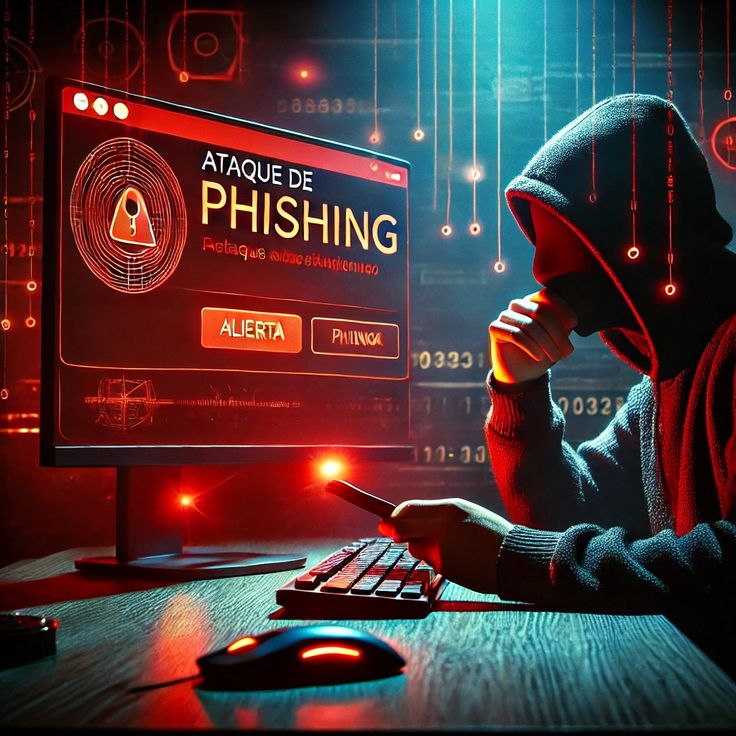

The internet has made it easier than ever to communicate, shop, work, study, manage money, and stay connected. With just a few clicks, you can send an email, pay a bill, order something online, or log into an important account.
Master the Latest Tech Trends
Get clear, actionable guides and insights on software, security, and digital tools on Voozon.
Get Started Now →Level Up Your Digital Knowledge
Explore simple, step-by-step tech guides, expert tips, and fresh insights on Voozon.
Learn More →Discover Top Tech Insights Today
Stay updated with the latest news, guides, and tech solutions right at your fingertips.
Explore Now →One of the most common online threats is phishing.
Phishing is not a new problem, but it continues to affect individuals, businesses, schools, and organizations around the world. What makes phishing particularly effective is that it often targets people rather than relying only on technical weaknesses.
A phishing message may look like it came from a bank, online store, employer, social media platform, delivery company, or even someone you know.
The goal is usually to convince you to take an action that benefits the attacker.
So, what is phishing?
In simple terms, phishing is a type of cyberattack in which someone uses deceptive messages, websites, or other communications to trick people into revealing information, clicking malicious links, sending money, or performing another unwanted action.
Understanding how phishing works can make it much easier to recognize suspicious messages before they cause problems.
What Does Phishing Mean?
The term phishing refers to the practice of trying to “fish” for valuable information by using deceptive methods.
Instead of catching fish with a traditional hook, cybercriminals use emails, text messages, fake websites, phone calls, social media messages, and other methods to catch victims.
The information attackers may try to obtain can include:
- Passwords
- Usernames
- Credit card information
- Bank account details
- Security codes
- Personal information
- Business credentials
- Login information
Sometimes the objective is not information at all.
A phishing attack might try to convince someone to transfer money, download malware, approve a login request, or provide access to a company system.
How Does Phishing Work?
A typical phishing attack begins with a message designed to look legitimate.
For example, you might receive an email claiming that your online account has a security problem.
The message may tell you to click a link and sign in immediately.
The link might lead to a fake website that looks almost identical to the real website.
If you enter your username and password, the information could be sent directly to the attacker.
The attacker may then attempt to use those credentials to access your account.
This is why phishing is so dangerous: the victim may willingly provide the information without realizing that they are interacting with a fraudulent service.
Why Do Phishing Attacks Work?
Phishing attacks often rely on human emotions and habits.
Attackers may create a sense of urgency by saying things such as:
- “Your account will be closed.”
- “Your payment failed.”
- “You must verify your identity.”
- “Suspicious activity was detected.”
- “Your package could not be delivered.”
The goal is to make people act quickly instead of stopping to verify the message.
Other phishing attempts may use curiosity, fear, excitement, or authority.
For example, an attacker could pretend to be a manager and ask an employee to purchase gift cards immediately.
The message may seem unusual, but the attacker hopes the employee will respond before thinking carefully about what is happening.
What Is Email Phishing?
Email phishing is one of the most common forms of phishing.
A fraudulent email may imitate a legitimate company or organization.
It could contain a link, attachment, request for information, or payment instructions.
For example, an email might claim to be from a financial institution and ask you to verify your account.
The email could contain a link that leads to a fake login page.
The attacker may then capture the credentials entered on that page.
Not every phishing email looks obviously fake.
Some can contain professional-looking logos, convincing language, and realistic layouts.
This is why users should examine the actual details of a message rather than judging it only by its appearance.
What Is Spear Phishing?
Spear phishing is a more targeted form of phishing.
Instead of sending the same message to thousands of random people, an attacker may research a specific person or organization before creating the message.
For example, an attacker might learn the name of an employee, their job position, and the name of their manager.
The attacker could then create a message that appears to come from the manager.
Because the message contains real information, it may seem more believable.
Spear phishing can be particularly dangerous for businesses because attackers may target employees who have access to valuable systems or information.
What Is Whaling?
Whaling is a form of targeted phishing aimed at high-level individuals, such as executives or senior employees.
The attacker may try to convince a senior employee to authorize a payment, reveal sensitive information, or provide access to an important system.
Because executives often have significant access and authority, successfully compromising one account can have serious consequences for an organization.
What Is Smishing?
Smishing is phishing conducted through text messages or SMS.
The word combines “SMS” and “phishing.”
A smishing message might claim that:
- A package is waiting for delivery.
- A payment needs to be confirmed.
- An account requires verification.
- A suspicious transaction has occurred.
- A service subscription is about to expire.
The message may include a link.
Because people often check text messages quickly, they may be more likely to click without carefully examining the details.
What Is Vishing?
Vishing stands for voice phishing.
Instead of using email or text messages, the attacker uses a phone call or voice communication.
The caller might pretend to be:
- A bank representative
- A technical support employee
- A government official
- A delivery company
- An employer
- A customer service agent
The caller may ask for sensitive information or try to persuade the victim to perform an action.
Caller ID should not automatically be trusted because attackers can use techniques that make a call appear to come from a familiar number.
What Is Pharming?
Pharming is a type of attack that attempts to redirect users to fraudulent websites, sometimes even when they believe they are visiting a legitimate address.
Traditional phishing often relies on convincing someone to click a malicious link.
Pharming can involve manipulation of technical systems such as DNS or compromised devices so that a legitimate-looking address leads somewhere unexpected.
This is one reason security software, secure DNS services, updated systems, and careful browsing practices are important.
What Are Common Signs of Phishing?
Learning to recognize warning signs can help you avoid phishing attacks.
Unexpected Messages
Be cautious when receiving an unexpected message asking you to take an action.
If you were not expecting the message, stop and verify it.
Urgent Requests
Attackers often create urgency.
A message that says you must act immediately should be examined carefully.
Suspicious Links
Before clicking a link, check where it is actually going.
On a computer, you can often hover over a link to see its destination.
On a smartphone, you may need to use other methods to inspect the link safely.
Requests for Sensitive Information
Be cautious if an unexpected message asks for passwords, security codes, banking information, or other sensitive details.
Legitimate organizations generally have established procedures for handling sensitive information.
Strange Sender Addresses
Look carefully at the sender’s email address.
An attacker might use an address that looks similar to a legitimate company’s address but contains small differences.
For example, a fraudulent address might use a misspelled domain or an unrelated domain.
Unexpected Attachments
Be cautious with unexpected files.
Malicious attachments can contain software designed to compromise a device.
Can Phishing Happen on Social Media?
Yes.
Phishing is not limited to email.
Attackers can send fraudulent messages through social media platforms, messaging applications, online communities, and other communication channels.
For example, someone might receive a message claiming that their account has violated a policy and asking them to click a link.
Another common approach is pretending to be a friend whose account has been compromised.
The message may ask for money, personal information, or a verification code.
Can Phishing Happen Through Search Engines?
Yes.
Cybercriminals can sometimes create deceptive websites designed to appear in search results.
A user searching for a popular service, software download, customer support page, or other resource may accidentally visit a fraudulent website.
This is why it is important to verify the website address before entering sensitive information.
When possible, accessing an important service through a bookmarked official website or a known official app can reduce the risk of visiting a fraudulent site.
What Happens If You Click a Phishing Link?
Clicking a phishing link does not always mean your device has been compromised.
The outcome depends on what the link leads to.
It might:
- Display a fake login page
- Attempt to download malicious software
- Redirect you to another website
- Ask for personal information
- Attempt to exploit a software vulnerability
- Try to convince you to make a payment
If you click a suspicious link, do not panic.
Avoid entering information, close the page, and run appropriate security checks if necessary.
If you entered a password, consider changing it immediately from a trusted device and checking whether multi-factor authentication is enabled.
What Should You Do If You Receive a Phishing Message?
If you receive a suspicious message, the safest approach is usually to avoid interacting with it.
You can:
- Do not click unexpected links.
- Do not open suspicious attachments.
- Do not provide passwords or security codes.
- Verify the request through an independent method.
- Report the message using the platform’s reporting tools.
- Delete the message after reporting it.
If the message claims to be from your bank, for example, do not use the phone number or link included in the suspicious message.
Instead, contact the bank through its official website, official app, or a trusted phone number.
What If You Already Gave a Phisher Your Password?
If you accidentally provided your password to a phishing website, act quickly.
Change the compromised password immediately.
If you used the same password on other websites, change those passwords as well.
This is why using unique passwords for different accounts is important.
You should also enable multi-factor authentication whenever possible.
Check the affected account for suspicious activity, unfamiliar devices, unexpected login sessions, or unauthorized changes.
If financial information was involved, contact the relevant financial institution using official contact information.
How Can Businesses Protect Employees From Phishing?
Businesses need a combination of technology, policies, and employee awareness.
Organizations can use:
- Email filtering
- Multi-factor authentication
- Security awareness training
- Endpoint protection
- Password managers
- Access controls
- Phishing simulations
- Domain protection
- Regular software updates
- Incident-response procedures
Employee training is particularly important.
Even sophisticated technical security systems can be undermined if an attacker successfully tricks an employee into giving away valid credentials.
Is Phishing the Same as Malware?
No.
Phishing and malware are related, but they are different.
Phishing is a method of deception used to trick people into performing an action.
Malware is malicious software designed to perform harmful or unauthorized activities.
A phishing attack can be used to deliver malware.
For example, an attacker could send an email containing a malicious attachment.
However, phishing does not always involve malware.
A phishing attack could simply attempt to steal a password through a fake website.
How Is Artificial Intelligence Changing Phishing?
Technology is changing the way phishing attacks are created.
Artificial intelligence can potentially help attackers produce more convincing messages, improve language, personalize communications, and automate certain activities.
At the same time, cybersecurity teams can use AI to identify suspicious messages, detect unusual behavior, analyze patterns, and improve security monitoring.
This means people should not rely solely on obvious spelling mistakes or awkward language as signs of phishing.
A professionally written message can still be fraudulent.
The safest approach is to verify unexpected requests independently.
Why Is Multi-Factor Authentication Important?
Multi-factor authentication, or MFA, provides an additional layer of account protection.
Instead of relying only on a password, MFA can require another form of verification.
For example, an account might require a password plus a security key, authenticator approval, or another authentication factor.
If a phishing attack steals your password, MFA can make it harder for the attacker to access your account.
However, some phishing attacks are designed to trick users into approving fraudulent login requests or revealing temporary codes.
For stronger protection, security keys and phishing-resistant authentication methods can be valuable where supported.
Final Thoughts
So, what is phishing?
Phishing is a cyberattack that uses deception to trick people into revealing information, clicking malicious links, downloading harmful files, sending money, or taking another action that benefits an attacker.
Phishing can appear through emails, text messages, phone calls, social media, websites, and other communication channels.
The most important defense is to slow down when a message creates urgency or asks for sensitive information.
Check the sender, inspect links carefully, avoid unexpected attachments, and verify important requests through a separate trusted channel.
Using strong and unique passwords, enabling multi-factor authentication, keeping software updated, and using reputable security tools can provide additional protection.
Most importantly, remember that phishing attacks are designed to look believable.
A message does not have to look obviously fake to be dangerous.
The simplest rule is this: when an unexpected message asks you to click, pay, download, or share sensitive information, stop and verify before taking action.